Smart Bird Feeder Wi-Fi Guide: Range, 2.4 GHz and 5 GHz
Most setup failures begin with a simple mismatch: the phone sees strong indoor Wi-Fi, but the feeder is mounted beyond the exterior wall where signal drops sharply. The router band and building materials both influence range.
Why 2.4 GHz is common
The lower-frequency band typically travels farther and penetrates walls better. Many low-power outdoor devices therefore ignore 5 GHz networks.
Dual-band naming problems
Routers may combine both bands under one network name. Temporary band separation or an IoT network can simplify pairing when the app becomes confused.
Exterior materials
Brick, stucco mesh, foil insulation and metal siding can reduce signal more than distance alone. Moving the feeder a few feet may create a clearer path.
Extenders and mesh nodes
Place the node indoors near the exterior wall, not outside at the dead zone. It needs a strong upstream connection to provide useful coverage.
Security settings
Modern routers may default to modes an older camera cannot use. Consult the feeder’s support material before changing network security.
Test the signal outdoors, not beside the router
Stand at feeder height with exterior doors closed and use the same network the camera will join. A phone showing bars is only a clue; run repeated tests and watch stability over several minutes. Masonry, foil insulation, metal siding and wet foliage can change performance. If the signal fades, move an access point or choose another mount before blaming the feeder.
Make pairing boring and controlled
Charge the camera, update the phone app and keep the feeder near the router for first setup. Use the exact Wi-Fi password and temporarily simplify band steering only if the manufacturer's process requires it. After pairing, move the powered camera toward the yard in stages. The point where live view or uploads become unreliable identifies a coverage problem more clearly than repeated factory resets.
Current models to inspect for this decision
These are exact Amazon listings selected as concrete examples, not a claim that one model fits every yard. Use the guide above to verify the relevant feature on the live variation.
As an Amazon Associate, we may earn from qualifying purchases.
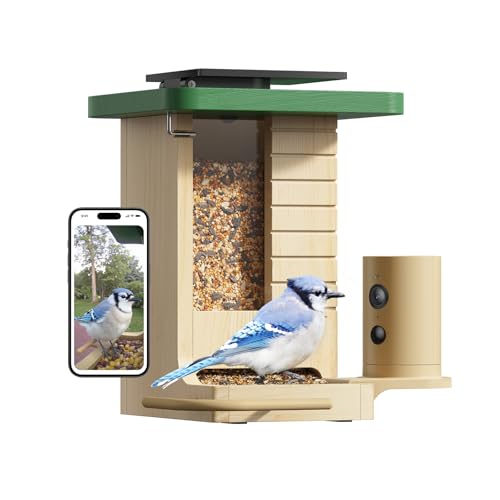
Birdfy Wood Smart Bird Feeder with Night Insight
Listing signals: natural-look housing, low-light features. Confirm the selected variation, included hardware and current app terms on Amazon.
View this model on Amazon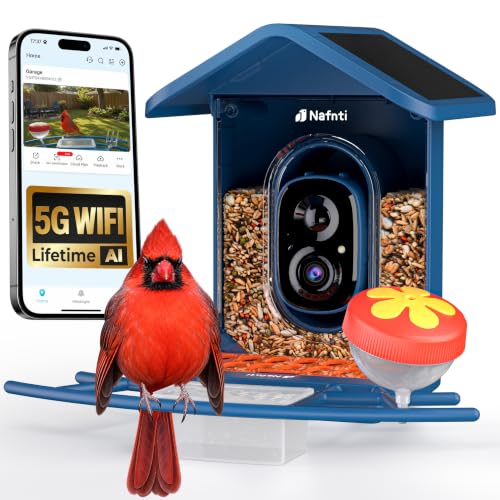
Nafnti 5GHz Solar Smart Bird Feeder Without Subscription
Listing signals: solar charging, no-subscription listing, dual-band Wi-Fi. Confirm the selected variation, included hardware and current app terms on Amazon.
View this model on AmazonFrequently asked questions
Can a feeder use phone hotspot data?
Sometimes for testing, but it is inconvenient and unreliable as a permanent setup.
Why does setup fail near the router?
Band selection, permissions or an incorrectly entered network password can still block pairing.
Will 5 GHz improve video quality?
Only when both signal strength and camera support are adequate.