How to Update Smart Bird Feeder Firmware Safely
Firmware updates can improve detection and security, but interrupting one can leave the camera unresponsive. Outdoor signal and battery uncertainty make preparation important.
Read the release note
Know whether the update addresses security, compatibility or a feature. Avoid starting immediately before travel.
Prepare power
Use the manufacturer-approved charging method and begin with a healthy battery.
Strengthen the connection
Update indoors near the router when the camera module is removable.
Allow extra time
A progress indicator may pause during installation and reboot. Do not reset unless official guidance says the process failed.
Verify afterward
Open live view, trigger a test event and confirm settings did not revert.
Prepare for an uninterrupted update
Charge the camera well above the minimum, keep it near a stable router and confirm the app account before starting. Do not update during a storm, while traveling or immediately before an event you hope to record. Screenshot important settings because some releases reset detection or notification choices. Never disconnect power merely because progress pauses for several minutes.
Test the functions that changed
After reboot, confirm live view, motion recording, alert delivery, card access, sharing and solar status. Compare battery use over the next day and read release notes for new defaults. If performance worsens, record version numbers and exact symptoms before contacting support. A factory reset is not a routine post-update step and may erase useful diagnostic state.
Current models to inspect for this decision
These are exact Amazon listings selected as concrete examples, not a claim that one model fits every yard. Use the guide above to verify the relevant feature on the live variation.
As an Amazon Associate, we may earn from qualifying purchases.
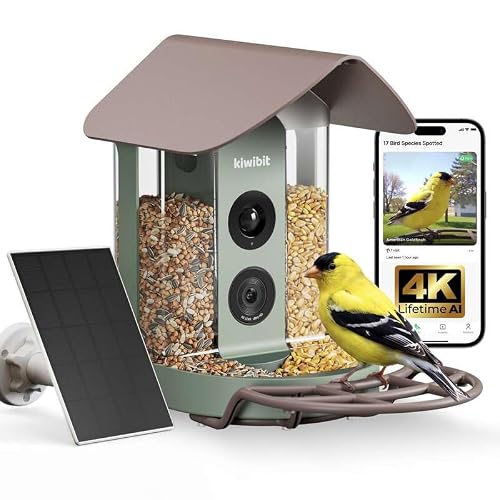
Kiwibit 4K AI Smart Bird Feeder Without Subscription
Listing signals: 4K video, no-subscription listing, AI bird identification. Confirm the selected variation, included hardware and current app terms on Amazon.
View this model on Amazon
Deep Blue Metal Smart Bird Feeder with Camera
Listing signals: metal protection. Confirm the selected variation, included hardware and current app terms on Amazon.
View this model on AmazonFrequently asked questions
Are updates automatic?
Some are; others require approval in the app.
What if power failed mid-update?
Follow the brand’s recovery procedure or contact support before repeated resets.
Can an old phone block updates?
An outdated app or operating system can cause compatibility issues.